


SUDAPASS
3.9161.00 Reviews
App Specs
- Version
- 1.4.2
- Updated On
- License
- Free
- Downloads
- 100,000+
- Developer
- NADC
- Categories
- Productivity
- Platform
- Android
Screenshots
 Analysis by AppCompare
When a government identity app becomes part of an everyday task, convenience is only half the story. I look just as closely at what the app is meant to do, what choices it gives me, and how carefully I can control my account. SUDAPASS is positioned as Sudan’s official digital identity app, developed by NADC, and its purpose is focused: helping people verify who they are digitally rather than carrying the whole burden of identity checks through paper documents or repeated in-person steps.
That narrow purpose makes it different from a general productivity tool. It is listed in the productivity category, but I would not install it expecting notes, calendars, file storage, or task management. Its value appears when a service needs identity verification and SUDAPASS is accepted as the digital route. In that situation, the app can become an important part of the process. Outside that situation, it may have little practical use.
I approached it as an identity tool rather than a typical app that I open for entertainment or casual organization. That distinction matters because the most important questions are not only whether the screens are easy to understand. I also want to know whether I can recognize what I am approving, whether account actions feel deliberate, and whether the app keeps the verification moment clear instead of rushing me through it.
What SUDAPASS is really useful for
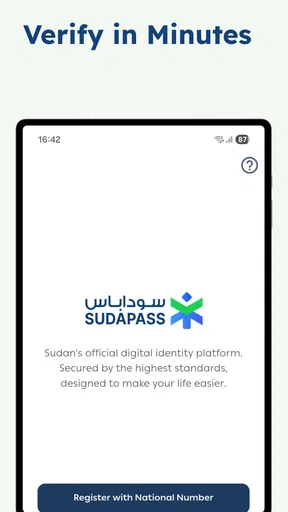
The clearest use case is a service that asks me to prove my identity digitally. Instead of treating identity verification as a separate, confusing process, SUDAPASS gives that task a dedicated place on the phone. The store summary describes it as Sudan’s official digital identity for secure verification, so the app’s role is best understood as an identity checkpoint, not a replacement for every document or government service.
A realistic everyday scenario would be applying for a service from my phone and reaching a step that requires identity confirmation. If SUDAPASS is the supported method, I can use the identity app at that point rather than repeatedly typing personal details into an unfamiliar form. The useful habit here is to pause before confirming: check which service is requesting verification, read the wording on the screen, and make sure the request matches the task I started. That small pause is more valuable than simply finishing the process quickly.
Another practical situation is handling a verification request while moving between apps. Identity checks can feel more sensitive than ordinary sign-ins because the information involved may affect access to official or financial services. I would keep the original service open or remember exactly where I came from, then return to it only after completing the matching request in SUDAPASS. This reduces the risk of approving something accidentally when several browser tabs or messages are open.
For someone who frequently needs supported digital verification, the app’s focused design is potentially its strongest quality. A dedicated identity tool is easier to understand than a broad app that hides verification inside unrelated menus. On the other hand, people who rarely encounter a compatible service may find that the app does not justify much attention between those occasions.
Worth Reading Before You Choose

EA SPORTS FC Mobile 26 Is a Bigger Football Game, but It Takes Time

Flipboard Shows What News Apps Must Do Beyond the Feed

Switching to Android Auto Means Rethinking Your Driving Routine

Google Calendar Makes a Crowded Week Easier to Manage

Ludo King Makes the Most of the Minutes Between Plans

Baby Panda World Brings Quick Play to Modern Phones, but Its Game Library Feels Busy
Trust starts with a narrow purpose
I find the official identity positioning reassuring in one limited sense: it tells me what the app is supposed to accomplish. It does not present itself as a social network, advertising platform, shopping service, or all-purpose wallet. A narrow purpose makes it easier to judge whether a screen or request belongs in the app. If a future prompt seemed unrelated to identity verification, I would treat that as a reason to stop and inspect it rather than assuming every request was normal.
Still, an official label should not replace careful reading. I would verify that I installed the app under the expected developer name, NADC, and that the app details match the identity product I intended to use. I would also avoid installing copies shared through random messages or unofficial download pages. This is not a criticism of SUDAPASS specifically; identity apps are simply the kind of software where the installation source deserves extra attention.
The public response appears mixed but substantial. SUDAPASS has an average rating of 3.9 from around 3,400 ratings, with 157 written reviews and over 100,000 installs. Those figures suggest that it has reached a meaningful group of users, while the rating also tells me not to expect a universally smooth experience. I read that combination as a reason to approach it practically: useful for the right verification task, but not something I would trust blindly without checking each step.
Controls I would look for before confirming
With an identity app, the most important controls are the visible ones. I want to know which account is active, what action I am being asked to approve, and whether I can cancel before the verification is completed. Even when an app’s main purpose is simple, those moments should feel intentional. I would not tap through a prompt merely because it looks familiar or because another service is waiting.
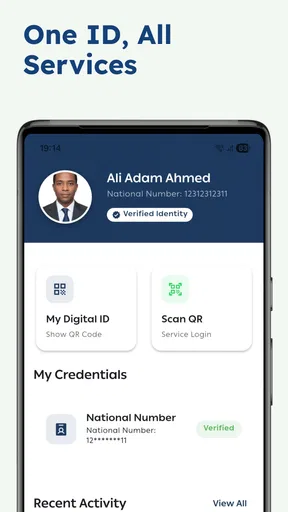
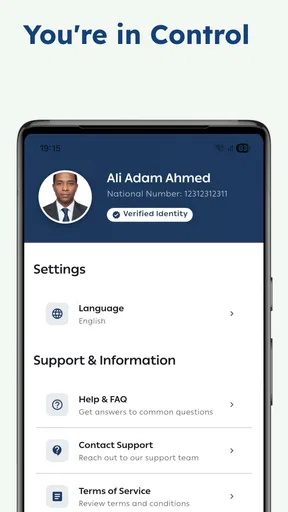
I would also pay attention to whether the app clearly separates viewing identity information from authorizing a request. Those are not the same action. Looking at an account record is passive; approving a third-party service to use verification is an active decision. If the interface presents both steps together, I would slow down and read the wording carefully. That is one of the most useful ways to keep control when a process moves quickly.
Account recovery is another area I would treat cautiously. Before relying on SUDAPASS for an important service, I would make sure I understand how I will regain access if I change phones, lose access to a sign-in method, or forget account details. I would not wait until an urgent verification is blocked. An identity app can be perfectly useful during normal use and still become stressful if recovery has never been considered.
The same applies to shared devices. I would avoid leaving an identity session open on a phone that other people regularly use, and I would check for a clear sign-out or account-switching action after finishing. If the device is borrowed or public, I would be even more careful. The goal is not to create fear around the app; it is to treat a digital identity with the same care I would give a physical identity document.
Where the sensitive moments occur
The most sensitive point is not necessarily installation. It is the moment when SUDAPASS connects my identity verification to another service. That is where I would check the request’s purpose, the name of the service, and the exact confirmation language. If any part of the request looks unrelated to what I was doing, I would cancel and start again from the original service instead of trying to guess.
I would also be careful with screenshots and notifications. Identity screens can expose personal information even when I am not actively submitting anything. I would avoid sharing screenshots of account pages, and I would make sure notification previews are not revealing more than I want visible on a locked screen. These are user-side habits rather than claimed app features, but they matter because a secure verification process can still be weakened by casual handling afterward.
Permissions deserve the same attention. I would review the permission prompts as they appear and ask whether each one makes sense for the action I am taking. If a permission seems unrelated, I would not grant it automatically. I would look for an explanation inside the operating system or app settings and decide whether the requested access is necessary for my particular use. I would never assume that an identity app needs unrestricted access to everything on my phone.
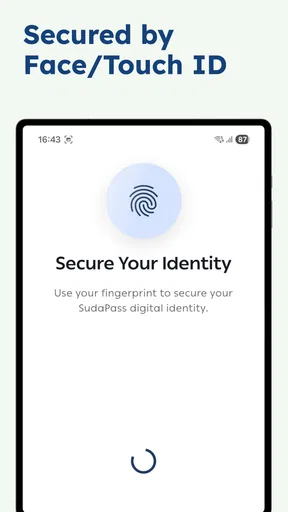
Keeping the operating system and the app current is also sensible. The current version is 1.4.2, and the minimum requirement is Android 8.0. That makes the app accessible to many older Android phones, but older devices can have their own security limitations. I would use a phone that still receives system security updates when possible, protect it with a screen lock, and avoid completing verification over an untrusted network if I have a safer connection available.
How much control the user should retain
My preferred identity workflow is one where I can stop at any stage without being punished by confusing navigation. SUDAPASS makes the most sense when I remain the person deciding whether a verification request is legitimate. I would not treat a successful technical flow as proof that the request itself is appropriate. The app can confirm identity, but I still need to judge who is asking and why.
That is especially important when a link arrives through a message. I would not open an identity request from an unexpected text and then approve it simply because the screen looks official. I would instead open the service through a route I already trust, begin the process there, and use SUDAPASS only when the request follows from that action. This workflow gives me a clear chain of intent and makes suspicious interruptions easier to spot.
I would also keep my contact and account details organized before starting an important verification. If information needs updating, I would do it deliberately rather than changing several details while under time pressure. A clean account record reduces the chance of abandoning a verification halfway through and then not remembering what was changed.
For families, the question of user agency becomes more complicated. I would not casually use one person’s identity account on another person’s phone, and I would not ask someone else to approve a request on my behalf unless the service explicitly supports that arrangement. Digital identity is personal by nature. Convenience should not blur who is actually being verified.
Comparison with ordinary alternatives
The usual alternatives are presenting a physical identity document, typing personal information into a web form, or completing verification in person. SUDAPASS can be more convenient than repeating those steps when a compatible service accepts it. The main advantage is continuity: the identity check has a dedicated digital path instead of requiring me to photograph documents or re-enter the same details across multiple forms.
That convenience comes with a different kind of responsibility. A paper document is visible in my hand, while a digital approval can happen quickly and may connect to a remote service. With a document, I can see what I am showing; with an app, I need to read what I am authorizing. For that reason, I consider SUDAPASS a better option than an unstructured web form when the service officially supports it, but not automatically better than an in-person visit for a complicated or unusual case.
Typing information into a normal website may be faster for a low-risk registration, especially if no official identity check is required. I would not use SUDAPASS merely because it is available if the task does not genuinely need identity verification. Conversely, when the service is important and the official digital route is clearly presented, I would prefer a dedicated identity workflow over sending personal details through a random form.
The trade-off is therefore straightforward: SUDAPASS may reduce repetition and make supported verification more organized, but it also becomes a high-value account on my phone. I would choose it for legitimate identity checks, not as a universal shortcut. If I needed broad document management, password storage, or general organization, I would choose a different productivity tool designed for those jobs.
Who should use it and who should wait
I would recommend trying SUDAPASS to Sudanese users who have a real need for digital identity verification through a service that recognizes it. It is also a reasonable fit for people who prefer a dedicated identity app over repeatedly entering personal information, provided they are willing to review requests carefully and maintain control of their phone and account.
I would be more cautious if I rarely use digital services that require identity checks. In that case, installing another account-based app may add maintenance without immediate benefit. I would also hesitate if I am using an old phone with weak device protection, sharing my handset with several people, or unable to keep track of account recovery details. Those conditions can make any digital identity system harder to manage safely.
People who expect a polished, feature-rich productivity suite should skip it for that purpose. The productivity category does not change the app’s central role. SUDAPASS is not a replacement for a planner, cloud drive, scanner, or password manager. Its usefulness is tied to verification, and that is both its strength and its limitation.
Practical setup habits for safer use
My first step would be installing the app from the expected official store entry and checking that NADC is shown as the developer. I would then set up the account without rushing, use a strong device lock, and read each prompt rather than treating setup as a sequence of buttons. I would record the recovery information in a secure place that is separate from the phone, without storing sensitive details in an exposed note.
Before the first important verification, I would perform a simple mental check: what service started this request, what am I being asked to confirm, and what will happen after I approve it? If I cannot answer those questions, I would stop. This three-part check is particularly useful when a message, pop-up, or browser redirect has interrupted the process.
After completing a verification, I would return to the original service and confirm that the result was received. I would not repeatedly approve the same request because the first screen appeared slow. Duplicate approvals can create confusion, especially when network conditions are poor. Waiting a little and checking the original service is safer than tapping several times without knowing which action succeeded.
Finally, I would periodically review the app’s account state and the phone’s permissions. I would remove the app from a device I no longer control, sign out where appropriate, and avoid keeping it active on a borrowed phone. These habits do not make the process inconvenient; they make the convenience more deliberate.
My cautious verdict
SUDAPASS has a clear and potentially valuable role: it gives Sudanese users a dedicated route for digital identity verification. I like that its purpose is focused, because focused tools are easier to evaluate than apps that try to do everything. Its free price and Everyone age rating also make it approachable for a broad audience, while the release date of March 6, 2026 means I would still judge my experience by the actual verification flow rather than assuming long-established maturity.
My recommendation is conditional but positive for the right user. If a trusted service asks me to verify through SUDAPASS, I would consider using it and would follow the careful workflow described above. I would read every request, review permissions, protect the device, and understand recovery before depending on the account. I would not install it simply as a general productivity app, and I would not approve an unexpected request just because it appears inside an official-looking screen.
The best way to trust SUDAPASS is to keep the user in control of every verification decision. Used that way, it can be a practical digital identity tool rather than a mysterious extra step. Its strongest case is convenience with attention; its weakest case is casual, automatic approval. For supported identity tasks, I would give it a careful try. For everything else, I would choose a tool built specifically for that separate need.
Pros
- Convenient digital access to public transport services in one place.
- Can reduce the need to carry or handle physical travel documents.
- Useful for checking transport-related information while on the move.
- Quick access to account details and available service options.
- Helps keep travel credentials organized on a smartphone.
Cons
- Requires a compatible smartphone and sufficient battery during travel.
- Some features may depend on an active internet connection.
- Account or identity verification can take time for new users.
- Availability and features may vary depending on the transport network.
- App issues could make access difficult when alternative documents are unavailable.
FAQs for SUDAPASS
What is SUDAPASS and what can I use it for?
SUDAPASS is a digital access and identification application designed to help users manage services, credentials, or passes from a compatible organization or platform. Depending on the version and region, it may allow you to display a digital pass, access member features, receive updates, or verify your identity. Available functions can vary, so check the app description and supported services before downloading.
Is SUDAPASS free to download and use?
SUDAPASS may be available to download at no initial cost, but some services accessed through the application could require registration, a paid subscription, an existing membership, or fees charged by the organization that operates the pass. Before using it, review the terms shown during sign-up and confirm whether any optional or recurring charges apply to the specific service you intend to access.
What information or permissions does SUDAPASS require?
During setup, SUDAPASS may request personal details such as your name, email address, phone number, membership information, or identification data, depending on its purpose. It can also request permissions for notifications, camera access for scanning codes, or storage and network access. Grant only permissions that are necessary, and review the privacy policy to understand how your data is handled.
Does SUDAPASS work without an internet connection?
Some digital passes or previously loaded information may remain available offline, but the application may still need an internet connection for first-time activation, account verification, synchronization, updates, or security checks. Offline availability can also depend on the organization issuing the pass. If you expect to use SUDAPASS while traveling or in areas with weak coverage, open it beforehand and confirm that your pass is accessible.
What should I do if my SUDAPASS pass, account, or QR code does not work?
If your pass or QR code fails, first check that you are signed in to the correct account, your app is updated, and your phone has a stable internet connection. Restarting the application or refreshing the pass may help. If the problem continues, contact the relevant SUDAPASS support team or issuing organization, especially when the issue involves expired credentials, incorrect personal information, or a blocked account.


